Login to Catalog as a Non-VCU User
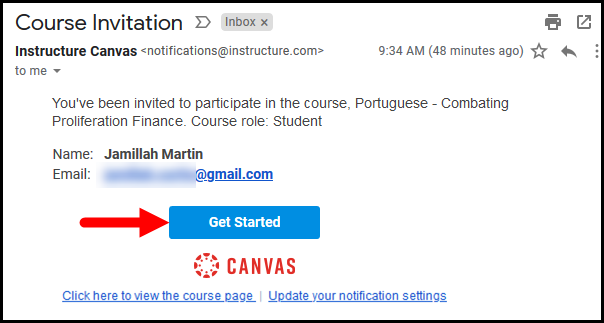
Once a course has been created and you have been enrolled/invited, check your personal email account for a message asking you to sign up in Canvas.
- Click on the Get Started button.
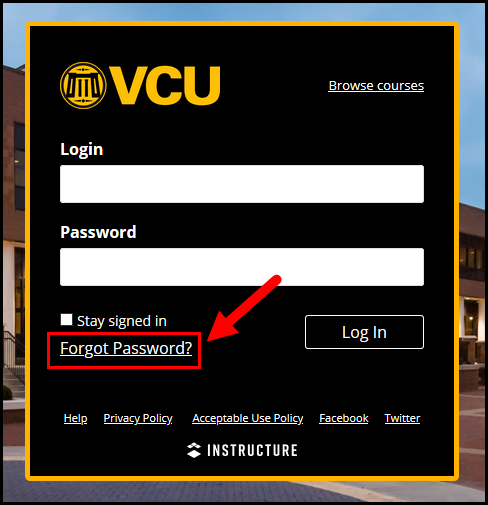
- This will take you to the VCU Canvas Login Portal. Click the Login for non-credit/other link.
- If this is your first time logging in, click the Forgot Password link.
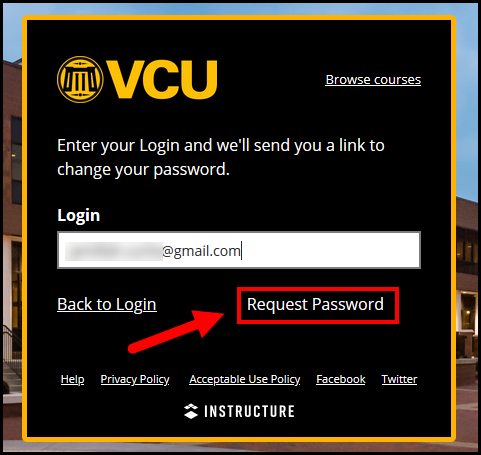
- Enter the personal email address that you signed up with and click the Request Password button. It can take 10-30 minutes to receive the password reset email; be sure to check your spam/junk box.
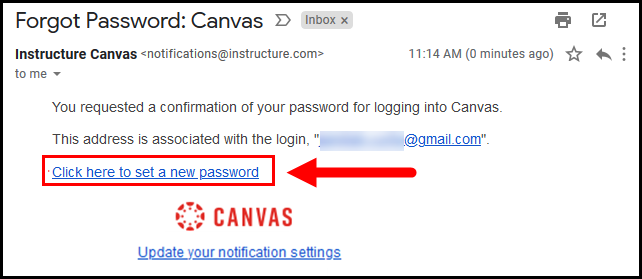
- Once you have received the email, click the Click here to set a new password link.
Note: Whenever logging in with a personal email account, you should always use the Login for non-credit / other link from the Canvas Login Portal