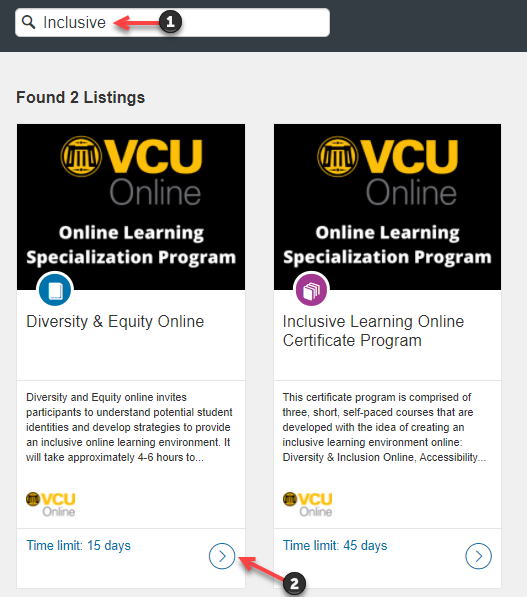
In the search bar, enter the title [or topic] of the desired courses you would like to enroll in [1].
Once you have found the course, click on it [2].
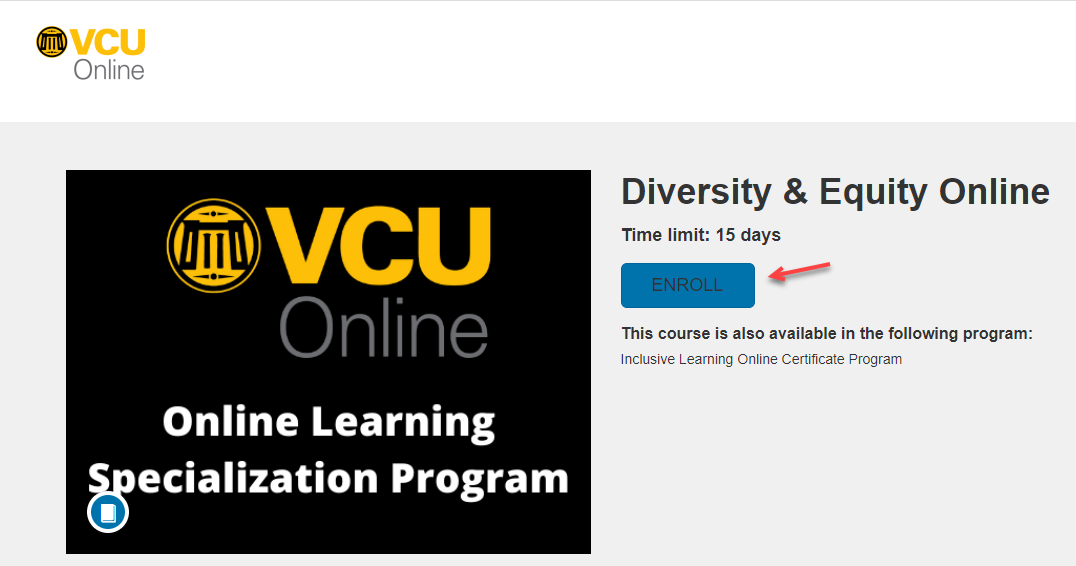
Click the Enroll button.
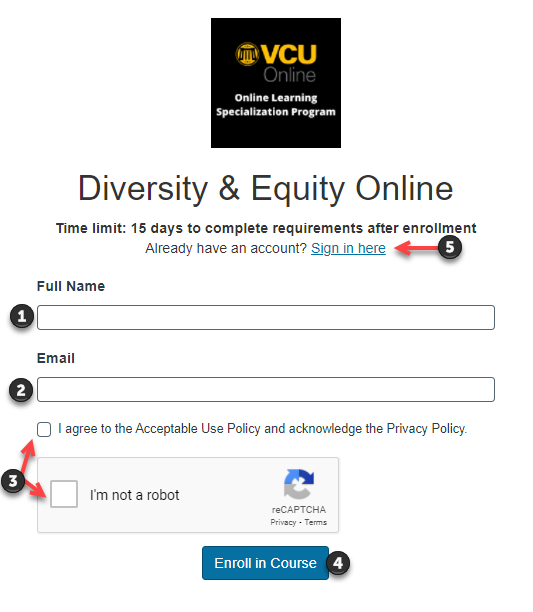
You will be directed to a page that will allow you to create an account. Enter your Full Name [1], email address [2], check the required boxes [3] and click the Enroll in Course button[4].
Note: If you have already created an account, do not create another one. Instead, click the Sign in Here link [5].
An email will be sent to the account you provided. Follow the instructions in this email to finalize your enrollment.