Create an Assignment (Alternative) Using Turnitin
Please Note:
This version (LTI 1.3) of Turnitin is not currently compatible with SpeedGrader.
Canvas rubrics cannot be attached to this version of Turnitin.
-
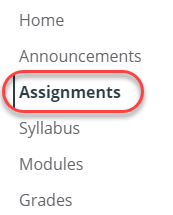
- In the course that you would like to create the assignment, select Assignments from the course menu.
- Click the three dots button located in the top right-hand corner.

- Select “Turnitin” from the dropdown menu.

- In the menu that opens, add the Title of the assignment, the assignment Instructions and a point value to the Score box.
- Customize the following Turnitin settings:


- Once all other assignment settings have been selected, click Submit to save this assignment. You will need to publish the assignment when ready.
- In the course that you would like to create the assignment, select Assignments from the course menu.